Introduction: The Importance of Reliable IP Docketing Systems
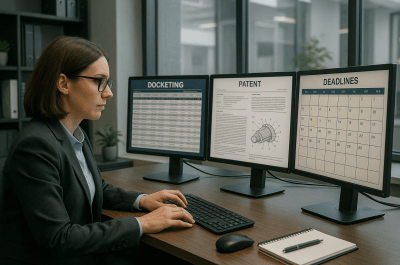
In the fast-paced world of intellectual property management, precise and reliable docketing systems are foundational to preventing missed deadlines and ensuring compliance with patent office requirements. Law firms and in-house IP teams alike depend on docketing solutions that not only track critical dates but also integrate seamlessly with their patent prosecution workflows. With multiple options available in 2024, selecting the right system requires a careful evaluation of features, integrations, and support models.
For authoritative filing basics, review the USPTO patent basics guide when mapping portfolio software to your patent workflow.
Overview of Popular IP Docketing Systems Used in 2024
Leading docketing systems currently favored by IP professionals include:
- CPA Global Inprotech: Known for robust patent and trademark docketing combined with portfolio management tools.
- FoundationIP: Offers a flexible, cloud-based platform with strong reporting and integration capabilities.
- Alt Legal: Focuses on automated deadline tracking with direct USPTO and trademark office data feeds.
- Pattsy: Streamlined docketing software optimized for small to mid-size firms and in-house teams.
- IPfolio: Combines docketing with IP asset management and licensing tracking.
First, Each system caters to different operational scales and priorities. For example, large law firms may prefer FoundationIP’s customizable workflows, while in-house teams often gravitate toward Alt Legal’s automation efficiencies.
Key Features to Look for in an IP Docketing System
When evaluating docketing solutions, consider the following critical features:
| Feature | Benefit |
|---|---|
| Automated Deadline Calculation | Reduces human error and ensures accurate tracking of office action deadlines and maintenance fees. |
| Real-Time Office Action Alerts | Enables prompt response to incoming correspondence from patent offices. |
| Integration with Patent Prosecution Tools | Simplifies workflow by syncing docket data with prosecution management and document systems. |
| Customizable Reporting and Dashboards | Facilitates oversight by docketing managers and legal operations professionals. |
| User Access Controls | Protects sensitive information and supports role-based task assignments. |
| Cloud-Based Access | Supports remote work and multi-location teams with secure access. |
Integration with Patent Prosecution Workflows and Other Tools
Next, Effective docketing systems integrate with prosecution document management, patent office electronic filing systems, and billing platforms. For example, integration with tools like EFS-Web or USPTO PAIR can automate status updates, reducing manual entry. Similarly, syncing docketing deadlines with case management software improves coordination between docketing managers and prosecution teams. Related reading: integrating docketing systems with prosecution workflows
Comparing Cloud-Based vs On-Premises Docketing Solutions
For example, Cloud-based docketing systems offer advantages such as automatic updates, scalability, and accessibility for dispersed teams. On-premises solutions, however, may appeal to firms with strict data security policies or specific customization needs. Decision factors include IT infrastructure, budget, and desired level of control.
Outsourced Docketing Services and How They Complement Systems
Also, Many law firms and in-house teams utilize outsourced docketing support to supplement their software platforms. Outsourced providers offer experienced docketing professionals who perform data entry, quality checks, and deadline monitoring. This partnership reduces internal workload and adds a layer of deadline risk mitigation. Combined with docketing software, outsourced services create a robust framework for missed-deadline prevention. Related reading: outsourced docketing support services
Common Gaps in Competitor Docketing Systems and How to Address Them
Despite advances, common challenges persist:
- Manual Data Entry Errors: Mitigated by adopting systems with automated USPTO data feeds.
- Poor Integration: Addressed by selecting platforms with open APIs or native connectors.
- Limited Reporting: Overcome by leveraging customizable dashboards and exporting capabilities.
- Insufficient User Training: Resolved through dedicated onboarding and ongoing support.
Meanwhile, Firms should evaluate these gaps during vendor selection and plan for supplementary measures such as outsourced quality control or enhanced staff training. Related reading: IP docketing best practices
Case Studies: Law Firms and In-House Teams Successfully Using Various Systems
In addition, Example 1: Mid-Size Law Firm Using FoundationIP
The firm streamlined docketing and prosecution workflows by integrating FoundationIP with their document management system. This reduced manual updates by 40% and improved deadline compliance metrics.
However, Example 2: In-House Team Leveraging Alt Legal with Outsourced Support
The corporate IP department combined Alt Legal’s automated docketing with an outsourced docketing service. The dual approach enhanced accuracy and freed internal resources for strategic patent portfolio management.
As a result, Example 3: Boutique Firm Implementing Pattsy
The firm adopted Pattsy for its user-friendly interface and cloud accessibility, enabling remote docketing management during hybrid work schedules without compromising deadline tracking.
Frequently Asked Questions
What are the top IP docketing systems used by law firms?
At the same time, Popular systems include CPA Global Inprotech, FoundationIP, Alt Legal, Pattsy, and IPfolio, each offering various features tailored to different firm sizes and needs.
How do IP docketing systems integrate with patent prosecution workflows?
Finally, They typically sync docket deadlines with prosecution document management and electronic filing systems, allowing for real-time status updates and streamlined case handling.
What features should an ideal IP docketing software have?
First, Essential features include automated deadline calculation, real-time office action alerts, integration capabilities, customizable reporting, role-based access controls, and cloud accessibility.
Can outsourced docketing services work alongside docketing software?
Next, Yes, outsourced docketing professionals complement software by providing data entry, quality review, and deadline monitoring, reducing risk of missed deadlines.
How to prevent missed deadlines with IP docketing systems?
For example, Implement automated alerts, conduct regular quality checks, integrate docketing with prosecution workflows, and consider outsourced support to add redundancy.
Disclaimer: This article is for informational purposes only and does not constitute legal advice.
Conclusion
Also, Choosing the right IP docketing system in 2024 requires balancing automation, integration, and support tailored to your firm or in-house team’s operational needs. Combining advanced docketing software with outsourced support often delivers the most reliable deadline management framework. To explore how your IP docketing workflows can be optimized and protected against missed deadlines, schedule a consultation with IP Docketers—experts dedicated to precision, compliance, and operational excellence in IP docketing.
Related reading: missed deadline prevention strategies
Related reading: IP docketing software comparison
Practical Next Steps
Meanwhile, Map every active docketing system, identify where deadlines are entered or reviewed, and confirm which team owns the final QA check before critical prosecution dates.
In addition, Teams should also review escalation paths, audit reporting, manual override controls, and system integrations so operational risk is reduced before the next deadline spike.
First, law firms should compare their highest-risk deadlines with current staffing coverage so the most sensitive prosecution dates receive the strongest review process.
Next, docketing managers should document which tasks are fully automated and which still depend on manual review or exception handling across systems.
For example, a team using multiple docketing platforms may need a single weekly reconciliation step so duplicate records and missing updates are found early.